






Cryptocurrency Payment Gateway
Accept payments effortlessly with our crypto payment gateway. Enjoy low processing fees, swift crypto-to-fiat payouts, and a smooth payment workflow
Create AccountOrder #248
616,900.00 USD
INVOICE
 0xij9r5 ... y8lq3by
Crypto payment processing features
Multi-asset support
Our crypto payment processor supports 350+ digital currencies

Security
We have implemented best-in-class security protocols to guarantee safe borderless crypto payments
Scalability
B2BINPAY can handle increasing demand without hassle. You can continue accepting payments seamlessly even as your transaction volume increases
User-friendly interface
We provide an intuitive user interface to integrate the payments API and monitor all your transactions
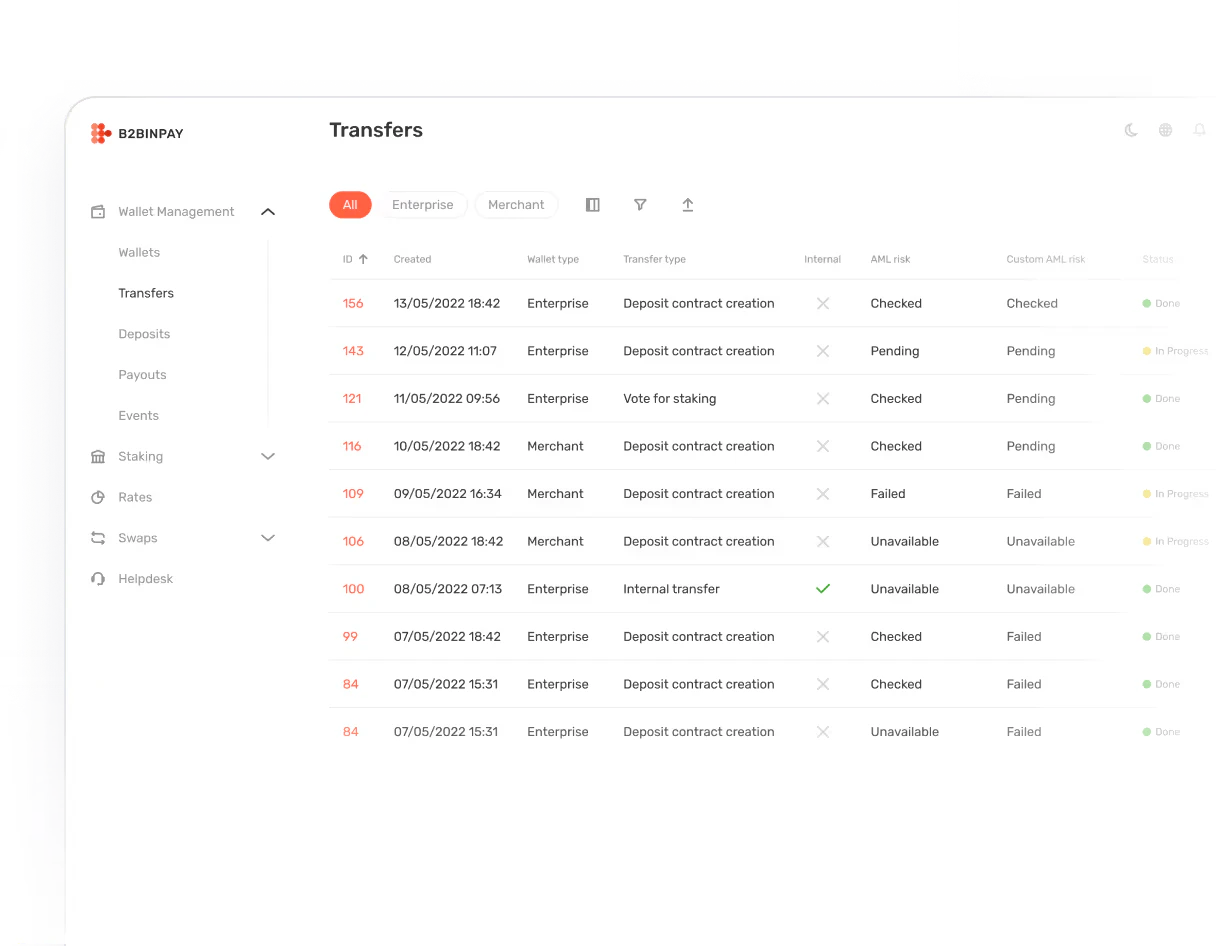

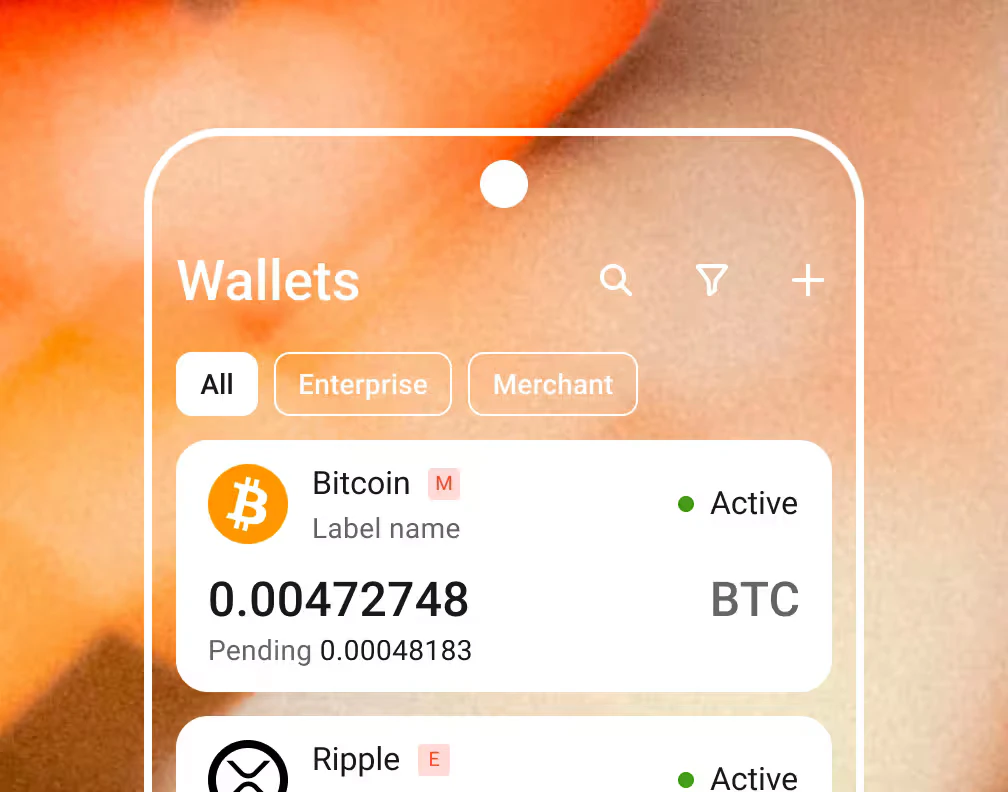
We’ve created a user-friendly all-in-one crypto ecosystem to help you grow your business

Arthur Azizov
CEO and Founder
- $5.1B
- Total Amount
- Processed in incoming transactions by 2025
- 6.7M
- Transactions
- Completed using our solution by 2025
- 983
- Business Customers
- Became our clients by 2025
Crypto payment solutions
Exchange
Convert tokens from your crypto wallet to fiat or other cryptocurrencies. Our crypto wallet feature makes managing your tokens easy

Send
Send tokens instantly to other wallets. B2BINPAY offers a swift global payments solution

Swap
Convert your Bitcoin balance to any other token or stablecoins to fiat at a fixed exchange rate

Store
Keep cryptocurrency assets securely in your B2BINPAY wallet

Accept
Accept payments in dozens of tokens via our crypto gateway

Our Partners
-

liquidity provider
-

verification platform
-

analytics tool

Benefits of the B2BINPAY crypto payment provider
Global

Send, store, and accept borderless crypto payments without hassle
No Chargebacks

Blockchain transactions are irreversible, eliminating the risks of unnecessary or fraudulent chargebacks
Independent

No dependence on third-party banks to facilitate transactions. Our digital currency payment gateway facilitates transactions independently
Secure

Sophisticated encryption, blockchain transparency, and protection from malicious DDoS attacks. Receive payments in crypto without worrying about security
Unlimited

We don’t place restrictions on your cryptocurrency transactions
Fast as Lighting

Transactions are settled instantly in your merchant accounts and crypto wallets
Easy Integration

A user-friendly blockchain API integration process. Our detailed API documentation makes crypto payment gateway integration seamless
No Rolling Reserve

Unlike conventional fiat processors, you’re not required to freeze a percentage of your tokens as a rolling reserve
KYT

Compliance is paramount as a crypto payment provider. Hence, we’ve integrated a sophisticated know-your-customer compliance service to prevent illicit transactions
Start accepting crypto today
Don’t wait — create your account today and explore all the possibilities of B2BINPAY
Create accountOptimized for Your Business
Identifying Payers
Tracking payments and identifying payers takes time and effort
Solution: Automatically generate unique deposit addresses for each customer. Simplify tracking and ensure accurate payer identification.
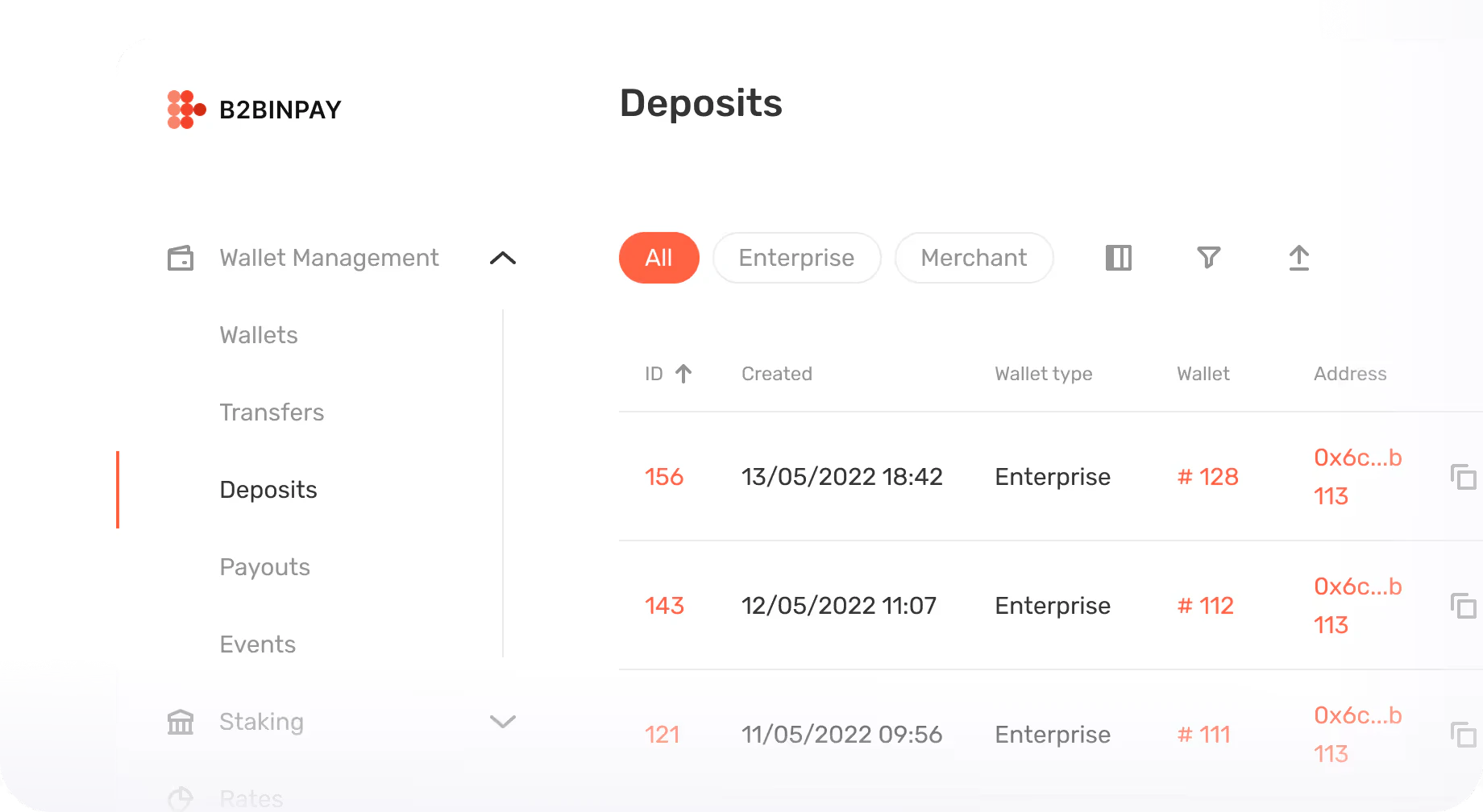
Consolidated Funds
Scattered funds across multiple addresses complicate withdrawals and resource management
Solution: All funds are automatically consolidated into a single crypto wallet for streamlined manual or auto withdrawal, better control, and time savings
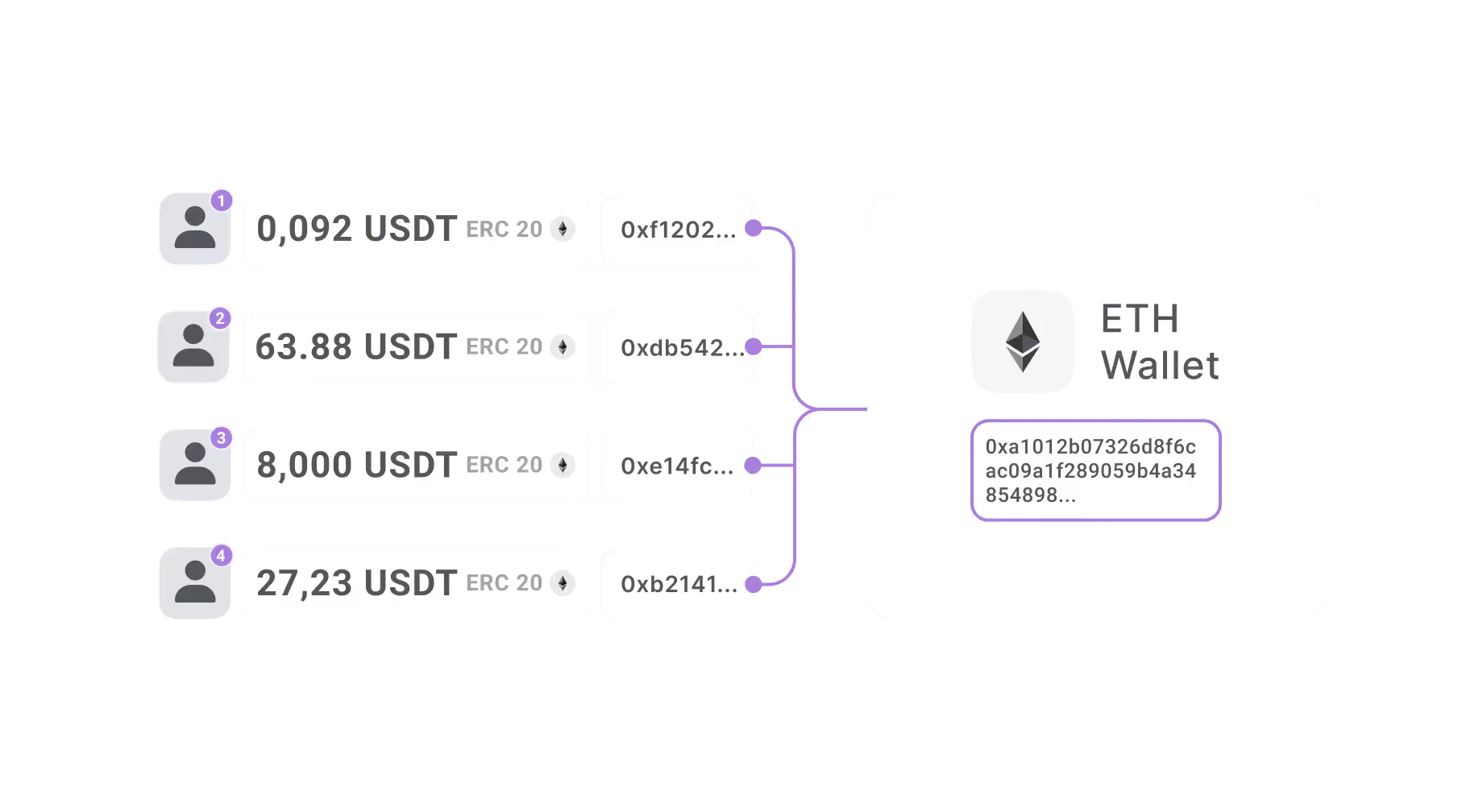
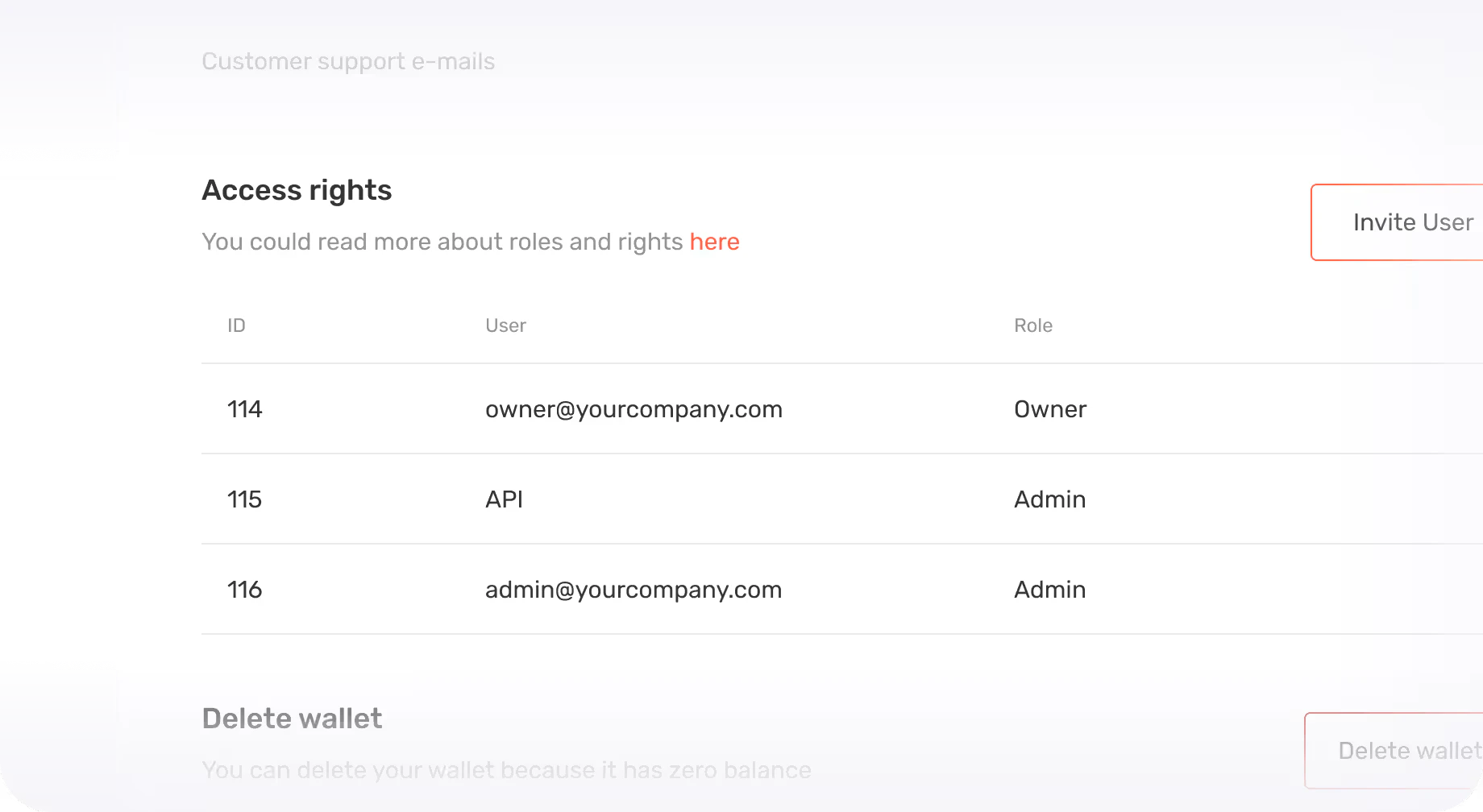
Multi-Layered Security
Data breaches and manual errors threaten your business
Solution: 2FA, Address Whitelists, User Rights, Wallet Thresholds, Blockchain risk scoring systems, and frequent third-party security audits keep your data and funds safe when using B2BINPAY’s crypto processing solutions
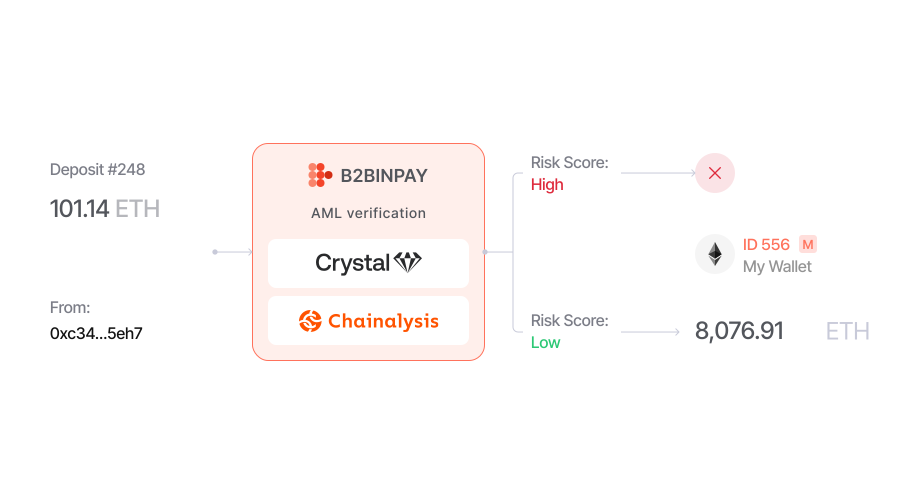
Fraud Prevention
Fraud and suspicious activities threaten your finances
Solution: Know-your-transaction (KYT) systems vet every transaction. Accept crypto transactions on your website or app without worrying about security
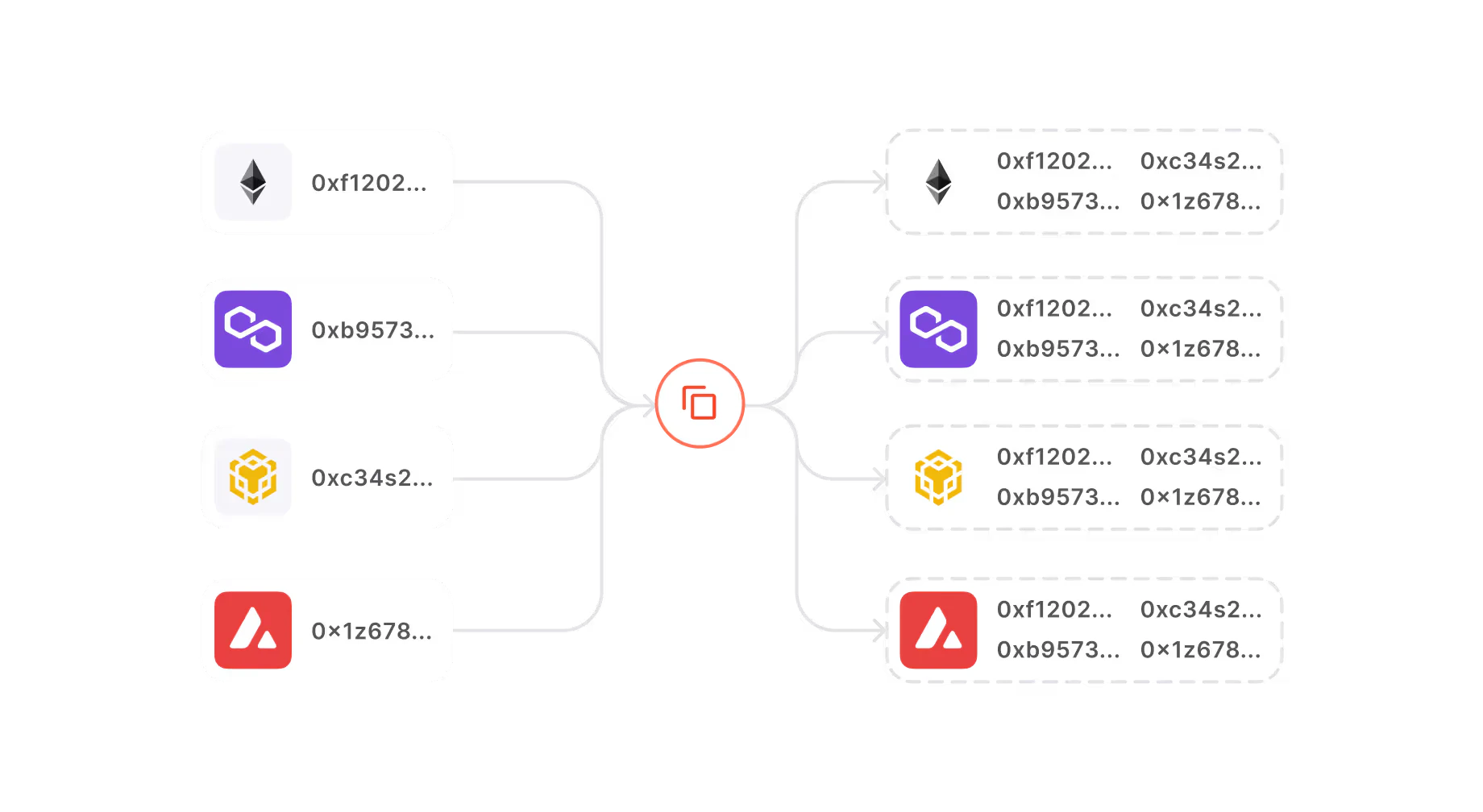
Fool-Proof Wallet Addresses
Human mistakes in manual invoicing disrupt operations
Solution: Duplicate wallets & addresses for the same currency in different blockchains to reduce confusion
Right solution for all your businesses
 E-commerce
  Forex and CFD Brokers
  Crypto Exchanges
  Gambling
  Merchants
  Car Dealership
  Converters
  Crypto Brokers
  Gaming
  Hedge/ Investment Funds
  Legal and Consulting
  Multi-Asset Brokers
  Margin Exchanges
  Real Estate
  Travel Industry
  Mobile Wallet Apps
  Resto
Resto Crypto Payment Processing
Effortlessly accept crypto payments in and convert them into fiat, stablecoins, and other major coins
Wallet as a Service
A robust platform for receiving, storing, and sending digital tokens
Payment API
Use our blockchain API to connect your platform within minutes. Our detailed documentation helps you integrate the API without hassles and start accepting tokens via our crypto payment platform. Learn More

How to start
-
Sign up for B2BINPAY
-
Receive your unique API keys
-
Share the API keys with your developer to integrate B2BINPAY into your store
-
Test the decentralized payment system without incurring fees in our sandbox environment
-
Go live and begin accepting cross-border crypto payments without hassle
- Create an account




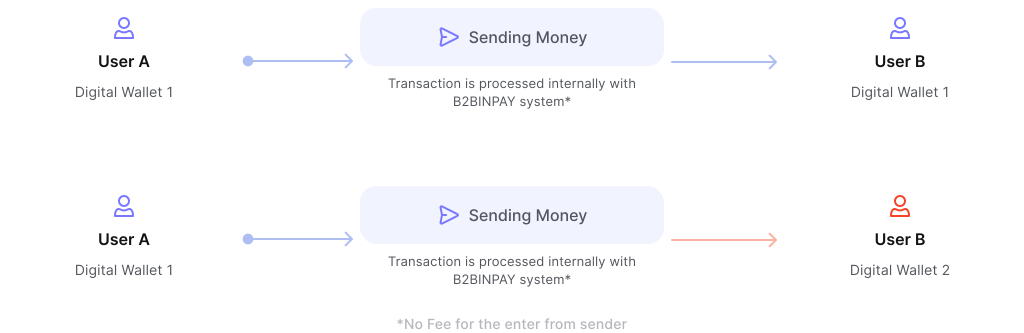
Off-Chain Transactions
B2BINPAY has a proprietary transaction system that allows funds to be transferred outside the blockchain. This approach speeds up transactions and reduces processing fees
Know Your Fees
Transaction for
Crypto Payment Processing
Incoming
- $5 – ∞ mln
- 0.25%
- $3 – 5 mln
- 0.30%
- $1 – 3 mln
- 0.35%
- $0 – 1 mln
- 0.40%
Outgoing
- No Charge
- 0.00%
Transaction for
Wallet as a Service (WaaS)
Incoming
- No Charge
- 0.00%
Outgoing
- $20 – ∞ mln
- 0.025%
- $10 – 20 mln
- 0.030%
- $5 – 10 mln
- 0.035%
- $3 – 5 mln
- 0.040%
- $1 – 3 mln
- 0.045%
- $0 – 1 mln
- 0.050%
Supported Blockchains & Currencies
We empower your business to accept USDT seamlessly across 9 major blockchains, with plenty of additional options to support your unique needs.


Regulated Virtual Asset Service Provider


Press about us
 Rapid Change, Real Impact: Vit Shtyrkin on AI & Crypto Tools
  Solana ETFs See Record Outflow as 21Shares' TSOL Bleeds $42M









Product Updates & Insights
 B2BINPAY 26.3.1: Sender Addresses on Incoming Transfers, Support Inside the Account, Staff 2FA B2BINPAY 26.3.1 puts the sender address of every incoming payment in the transfer object and the callback, adds a support messenger inside the account, and brings 2FA to staff users.
  B2BINPAY 26.2.16: Improved Security, Layered Approvals, Failed Collections Retry, and a Quiet Captcha
  B2BINPAY 26.2.14: Faster Rates API, Steadier Deposits, One-Form Sign-Up
  B2BINPAY 26.2.10: Toncoin to Gram, Fee Control on AML Refunds, Commissions Ladder in the Client UI
 By Developers for Developers
Testing is a major part of the B2BINPAY integration process which helps eliminate any potential problems before going live. Contact us to learn more

Functionality
- Testnet Crypto
- Currency Limit up to 6
- Specify Deposit Ranges
- Set Transaction Speed

Integrations
- with B2CORE
- with BridgerPay
- with FX Backoffice
- with Praxis Cashier

Financial Operations
- Send Digital Currency
- Create a Payout
- Convert Cryptocurrencies
- Store Crypto
Fast integration with ease via Rest API. Our state-of-the art technology enables you to integrate invoicing and handle acquiring and transfers the exact way you need it
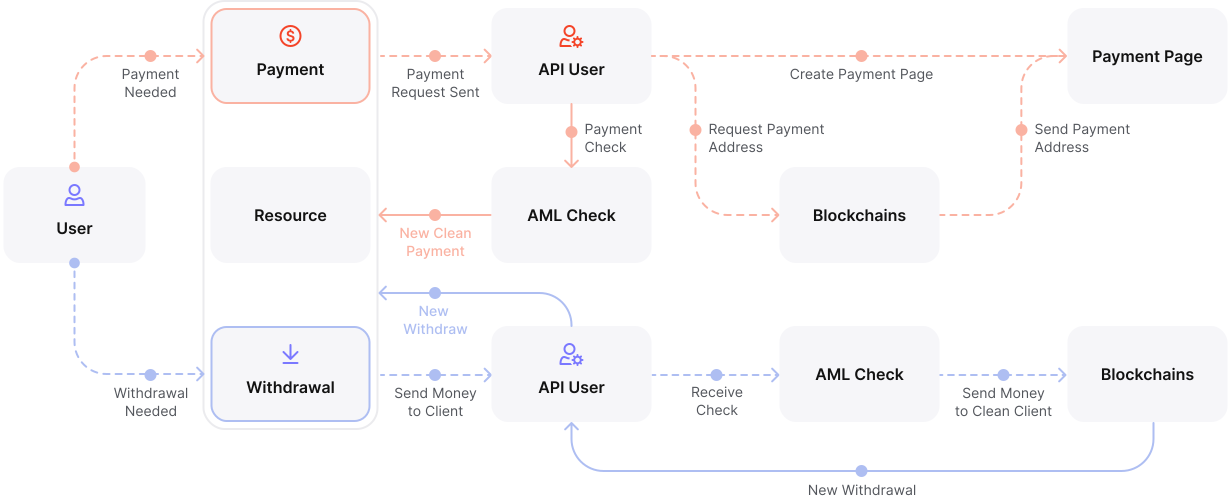
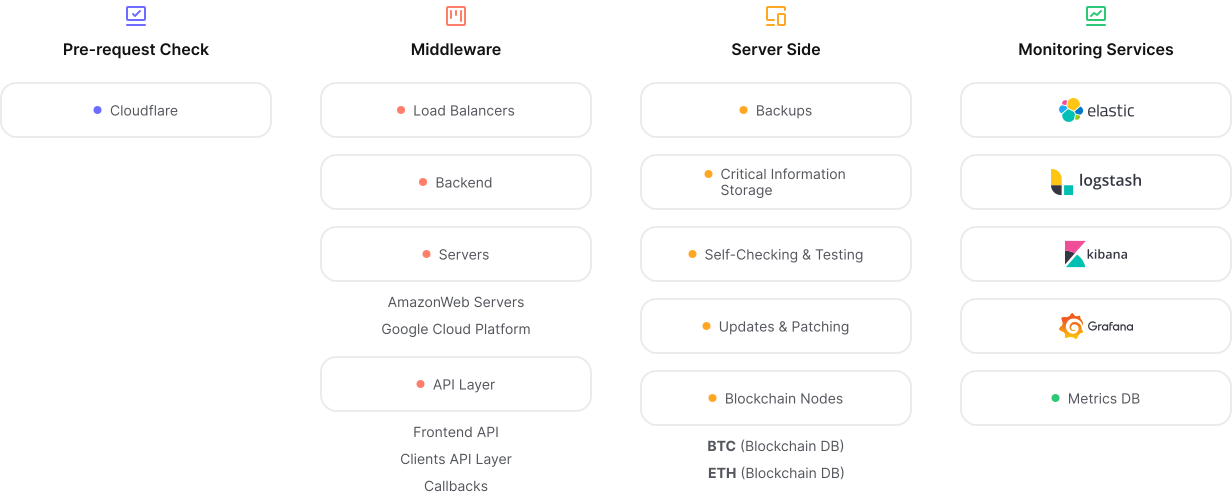
Our infrastructure operates on multiple servers across several data centres ensuring super-fast data delivery and the lowest possible latency. We have redundant hosting and load-balanced environments to ensure maximum reliability




















Ready to elevate your crypto game?
Join businesses already started successfully with B2BINPAY
FAQ
Cryptocurrency payment processing usually takes a few minutes. In some cases, crypto transactions are settled instantly.
We constantly implement product updates to provide new features to customers and keep our platform secure.
You can track real-time transactions and payments from your B2BINPAY account dashboard. Easy monitoring is one of many benefits of choosing our crypto payment system.
We provide detailed API documentation for crypto payment gateway integration. Our support team can also walk you through the steps of integrating our crypto payment solution.
Our crypto gateway supports most countries. We do not provide services to residents or companies based in Afghanistan, Canada, Central African Republic, Cuba, Eritrea, Iran, the Democratic People's Republic of Korea (DPRK), Libya, Myanmar, Russia, Somalia, South Sudan, Sudan, Syria, United States of America, Venezuela, Yemen, or the Crimea, Donetsk, Luhansk, Kherson and Zaporizhzhia regions of Ukraine.
B2BINPAY provides a robust solution that can handle increasing transaction volumes without hassle. You can scale your business with B2BINPAY without worrying about a slowdown in transaction speed and reliability.
Yes, you can take micro crypto payments with B2BINPAY. Unlike traditional payment processing platforms, our low processing fees enable clients to take micropayments.
Blockchain transactions are usually irreversible, making crypto payments refunds complicated for a business. However, you can purposely resend tokens to the recipient’s wallet as part of a refund.
We don’t have a specific schedule for updating our API. Instead, we deliver updates when needed to add new features, improve existing ones, or correct any flaws in our crypto payment integration workflow.
You can customize B2BINPAY by writing custom code for our API. For example, you can set a minimum deposit for your platform’s users via the API.
B2BINPAY provides a multi-currency wallet that lets you manage multiple tokens from one place. You can sign up today and get this wallet to receive payments in crypto.